Most articles about Claude for marketing stop at “write better copy” and “generate blog posts.” That’s like buying a Swiss Army knife and only using the toothpick.
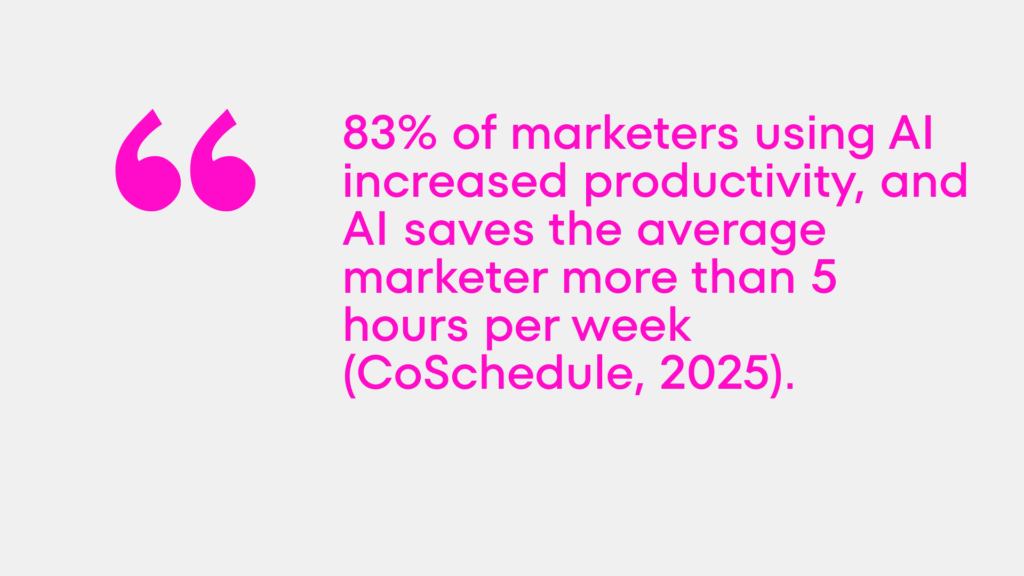
Claude is a reasoning engine. It reads, analyzes, writes, calculates, and — critically — builds functional tools when given clear specifications. Marketing and sales are among the functions seeing the highest productivity gains from generative AI, with organizations reporting revenue increases of up to 15% from AI-assisted personalization (McKinsey, 2024). 83% of marketers using AI increased productivity, and AI saves the average marketer more than 5 hours per week (CoSchedule, 2025).
The marketers getting those results aren’t using Claude as a slightly faster Google. They’re using it as a build partner, an analyst, a strategist, and a production system. Here’s exactly how — ten things you can start today.
───
1. Price Calculator from Claude for marketing
The problem it solves: Every service business has the same conversion gap — a prospect is interested, gets to the “how much does this cost?” moment, and either asks for a proposal (which takes days) or leaves. A self-serve pricing calculator closes that gap instantly.
What to build: A browser-based interactive calculator that takes prospect inputs — project scope, timeline, features, company size — and outputs a price range or fixed quote. No formulas to maintain. No spreadsheet to share. Just a clean interface that works.
How to do it with Claude: Describe your pricing logic in plain language. Tell Claude the input variables (what does the customer select or enter?) and the output (what should the calculator show?). Ask it to build the calculator as a single HTML file with embedded CSS and JavaScript. You can run it locally, host it on any web server, or embed it in a landing page.
Prompt example: “Build me a pricing calculator for a branding agency. Inputs: project type (logo only / brandbook / full identity), company size (startup / SMB / enterprise), timeline (standard / rush). Output: price range and estimated timeline. Use clean modern design.”
Result: a functional tool in under an hour that would have taken a developer a day.
───
2. Blog Autopilot from Claude for marketing
The problem it solves: Content marketing compounds over time — but most businesses publish inconsistently because each piece requires too much effort to brief, write, edit, and optimize.
What to build: A repeatable system where Claude goes from keyword to publish-ready draft with minimal human input at each stage.
How to do it: Build a prompt template that covers: target keyword, audience definition, search intent (informational/commercial/navigational), competitor content summary, desired word count, H2 structure, and tone of voice. Save this as a reusable document. For each new article, fill in the variables and run the template.
The workflow: research keyword in Ahrefs → paste top 3 competitor URLs into Claude → ask Claude to identify content gaps → generate brief → generate draft → edit for voice → publish.
For teams managing multiple writers, use this system to generate standardized briefs that any writer can execute without a strategy call. One strategist briefing ten writers is now genuinely scalable — not theoretically scalable.
───
3. Review Reply Bot from Claude for marketing
The problem it solves: Responding to reviews — Google, Trustpilot, App Store, G2 — is a reputation management necessity that most marketing teams treat as a low-priority task and therefore do badly or not at all. Generic “Thank you for your feedback!” replies damage brand credibility as much as silence.
What to build: A Claude-powered review response system that generates on-brand, personalized replies for every review type — positive, negative, mixed, detailed, one-word.
How to do it: Feed Claude your brand’s tone of voice principles and three examples of ideal replies (one for a positive review, one for a negative, one for a mixed). Then create a prompt template:
“You are the customer relations voice for [Brand]. Tone: [your principles]. Write a reply to this review: [paste review]. If negative, acknowledge specifically, don’t get defensive, offer a resolution path. If positive, be warm but not sycophantic. Keep under 100 words.”
Run batches of reviews through this system weekly. What used to take an hour of uncomfortable writing takes ten minutes of editing.
───
4. Audience Finder from Claude for marketing
The problem it solves: Most brands have a vague sense of who their customer is. “Women 25–45 interested in wellness.” That’s not an audience — it’s a census category. Real audience work identifies specific communities, channels, content formats, and language patterns.
How to do it with Claude for marketing: Describe your product, your current customers (any details you have), and your competitive positioning. Ask Claude to generate:
• Five specific audience segments with behavioral descriptions
• Where each segment spends time online (specific subreddits, newsletters, YouTube channels, LinkedIn groups)
• What language each segment uses when they describe their problem
• What they’ve tried before and why it didn’t work
Then cross-reference with SparkToro to validate — enter a keyword or website and see exactly what your audience reads, watches, and follows.
The output of this exercise is a usable audience brief, not a demographic slide. It drives channel selection, content topics, ad targeting, and partnership decisions.
───
5. Audience Analysis with GA Data
The problem it solves: Google Analytics 4 contains an enormous amount of behavioral data about who visits your site, how they arrive, what they do, and where they leave. Most marketing teams look at it monthly and describe what happened. Nobody explains why, or what to do about it.
How to do it with Claude for marketing: Export your GA4 data — audience demographics, acquisition channels, behavior flow, conversion paths, top pages — as a CSV or copy key metrics into a document. Paste it into Claude with this prompt:
“Analyze this GA4 data. Tell me: (1) which audience segments are most valuable and underserved, (2) which acquisition channels are over- or underperforming relative to their traffic share, (3) what the top 3 drop-off points suggest about user intent, (4) what I should test next quarter to improve conversion rate.”
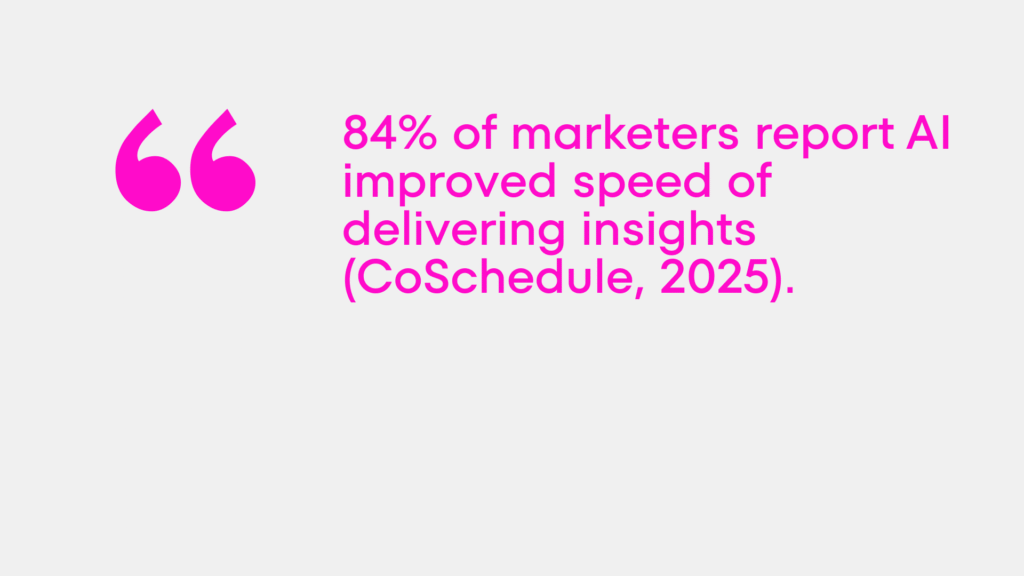
What was a two-hour analyst task becomes a ten-minute briefing with Claude doing the pattern recognition and you making the judgment calls. 84% of marketers report AI improved speed of delivering insights (CoSchedule, 2025).
───
6. Analytics Explainer
The problem it solves: Marketing reports full of numbers that nobody acts on. The data exists. The interpretation doesn’t reach the people who make decisions.
How to do it with Claude for marketing: This is a lighter version of the GA analysis, designed for regular reporting. Build a prompt template that takes your weekly or monthly metrics snapshot and outputs a 200-word plain-language explanation: what changed, why it probably changed, what needs attention.
“Here are this month’s marketing metrics: [paste data]. Write a 200-word executive summary. Lead with the most important change. Explain likely causes. Flag anything that needs a decision. No jargon.”
Run this every reporting cycle. Send the output to leadership instead of a spreadsheet. Decision-making accelerates. Stakeholder alignment improves. You stop being the person who presents data and start being the person who drives action.
7. Competitor Intel
The problem it solves: Competitive monitoring is genuinely important and genuinely neglected because it’s time-consuming, scattered across too many sources, and produces raw information rather than actionable insight.
How to do it with Claude for marketing: Feed Claude competitor materials — website copy, about pages, job postings (which reveal strategic priorities), recent press coverage, social media posts, product changelog entries. Ask it to synthesize:
“Based on these competitor materials, identify: (1) their positioning claim in one sentence, (2) their apparent target audience, (3) what they emphasize that you don’t, (4) what gaps exist in their messaging that represent an opportunity for us, (5) any recent strategic shifts suggested by their job postings or announcements.”
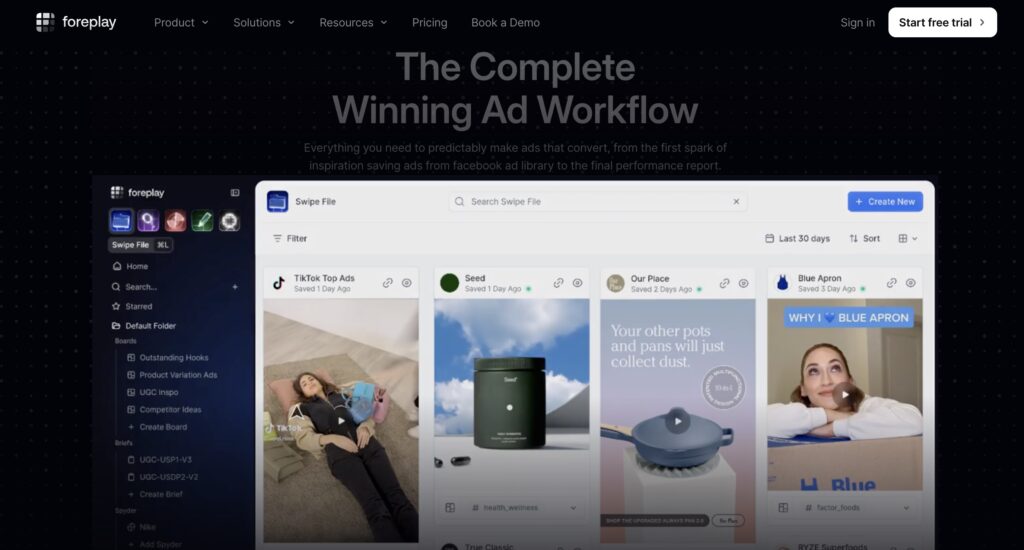
Do this quarterly. The output feeds directly into positioning reviews, content strategy decisions, and campaign briefs. Use Foreplay alongside this for competitive ad intelligence — seeing which ads have been running the longest tells you what’s working for competitors before you test the same territory.
───
8. Develop Landing Pages
The problem it solves: Landing pages take too long to build and too long to iterate. Every new campaign, every new offer, every A/B test requires a development cycle that kills the speed advantage of the campaign itself.
How to do it with Claude for marketing: Claude can build complete, functional landing pages as single HTML files — structure, copy, design, and basic interactivity included. Give it your offer, your audience, your value proposition, your social proof, and your conversion goal.
“Build a landing page for a branding agency targeting startup founders. Offer: free brand audit. Value prop: [your copy]. Social proof: [client names/quotes]. CTA: Book a 30-minute call. Design: clean, professional, dark blue and white. Single HTML file with embedded CSS.”
The output is a deployable page. Drop it on any web server or use a service like Netlify (free tier) for instant hosting. Iterate in minutes — change the headline, restructure the CTA section, add a section — by asking Claude to modify specific parts.
Campaign landing pages that previously required a developer and a 3-day turnaround now take an afternoon.
───
9. Develop a Custom CRM
The problem it solves: Generic CRMs are built for everyone, which means they fit nobody perfectly. The fields, stages, and workflow logic that make sense for your specific sales process require expensive customization — or workarounds that nobody follows.
How to do it with Claude for marketing: Describe your sales process in detail: the stages a prospect moves through, the information you need to capture at each stage, the actions that trigger stage changes, the reports you need to see. Ask Claude to build a custom CRM as a web application.
This is exactly the approach used to build the Moloko agency’s internal financial and project management system — a fully custom tool that replaced multiple spreadsheets with a purpose-built system matching the actual workflow. Claude built the first working version; the team refined it through iteration.
A custom CRM built this way doesn’t need a SaaS subscription, doesn’t have features you’ll never use, and can be changed whenever your process changes. For a small business with a specific sales motion, this is often a better answer than adapting to HubSpot’s assumptions about how you work.
───
10. Automation Briefing for Other Creators
The problem it solves: Briefing external collaborators — freelancers, designers, video editors, copywriters, photographers — is one of the most time-consuming and inconsistently done tasks in any marketing team. Bad briefs produce bad work. Rewriting bad work costs more than the original brief would have.
How to do it with Claude: Build a brief generation system. Define the elements a complete brief requires for each content type (written content, visual design, video, social assets). Create a template for each. When you need a brief, fill in the inputs and ask Claude to produce the structured document.
“Generate a creative brief for a social media video. Product: [describe]. Target audience: [define]. Key message: [one sentence]. Tone: [principles]. Platform: [Instagram Reels]. Duration: [30 seconds]. Reference examples: [describe or paste URLs]. Required elements: [list].”
The brief Claude produces is structured, specific, and complete. It answers the questions freelancers would otherwise ask via three rounds of back-and-forth messages. The brief-to-delivery cycle compresses. Revisions drop. Output quality rises — not because the creators got better, but because they finally know exactly what’s needed.
───
The Real Shift
These ten applications share a common thread: they replace processes that consumed time without creating value — manual briefing, spreadsheet maintenance, formulaic reporting, slow tool building — with systems that run faster and improve over time.
McKinsey’s 2025 data is clear: businesses using generative AI across marketing functions see measurable revenue growth, not marginal efficiency gains. The organizations seeing those results aren’t using Claude to write slightly better email subject lines. They’re using it to restructure how marketing work gets done.
The ten things above are the starting point. Each one can be running within a week. Most within a day.
The question isn’t whether to use Claude for marketing. It’s how much further ahead you’d like to be in six months than the teams that are still debating whether to start.